
Site communication and documentation.
All in one place.
Bring communication, reporting, tasks and material needs together. Capture information on site and follow up on what needs doing.
21 days free. No credit card required.
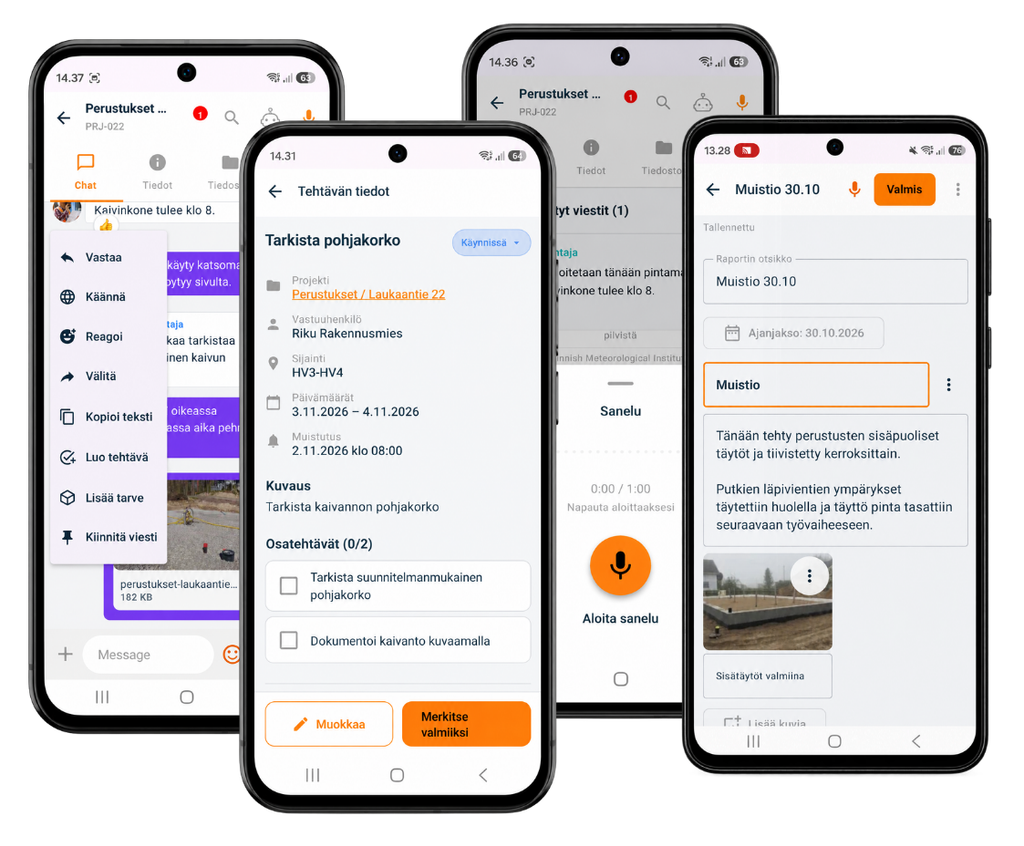
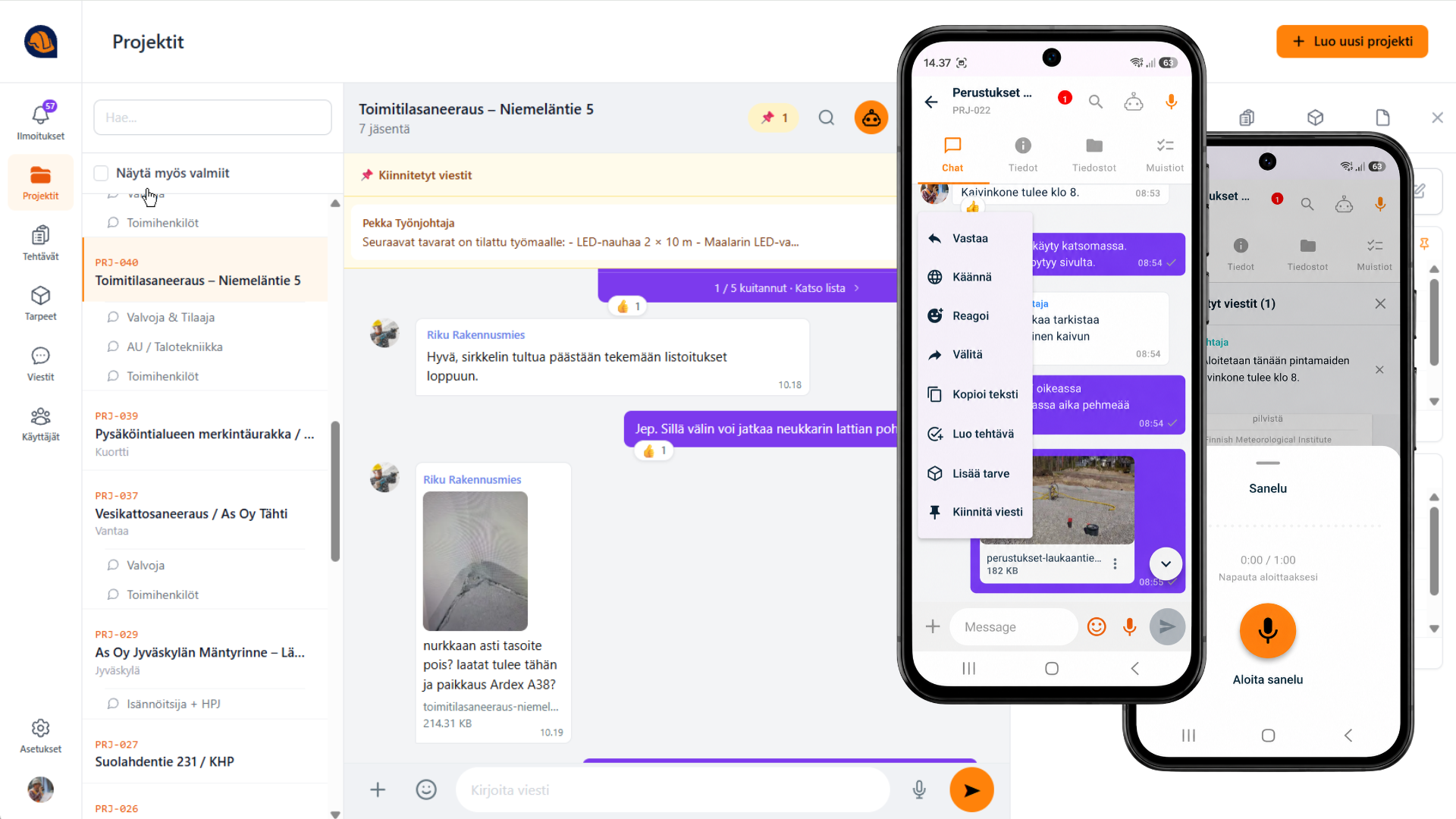
Quick messages.
A lasting project record.
Crews need quick answers. In SiteTalk, conversations, photos and decisions stay with the right project and are easy to find later.
- Main and side conversationsShare the relevant information with your crew, the client, the supervisor and subcontractors.
- Photos and voice-to-text from siteCapture information as you work with a photo, a written note or voice dictation.
- Project files for the whole crewShare instructions, drawings and other project files. Crew members can find them on their phones on site.
- Translation for multilingual crewsMessage translations help crew members follow site instructions and conversations in their own language.
- Read receipts and conversation historySee who has read a message. New crew members can catch up on earlier project conversations.
Share company updates, equipment information and internal conversations in the same place.
Turn site photos and notes
into reports.
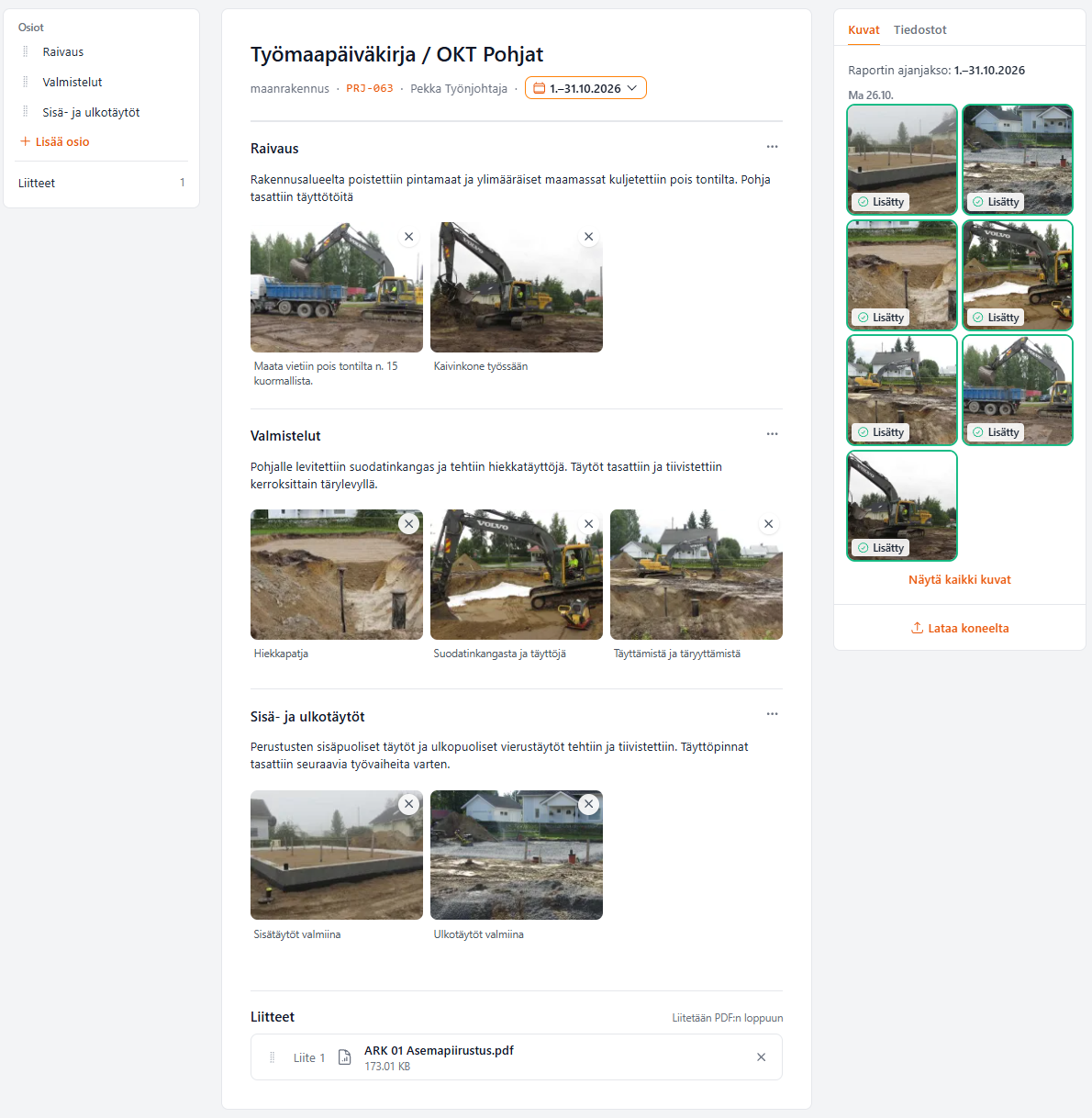
Create inspection reports, site notes, and daily or weekly reports. Bring text and photos together in one document.
- Write, dictate or use project conversationsWrite the report yourself or use AI to help draft it.
- Your own report and form templatesUse headings and sections that fit the way your company works.
- Photos alongside the relevant observationsKeep observations, photos and captions together. Share the finished report as a PDF.
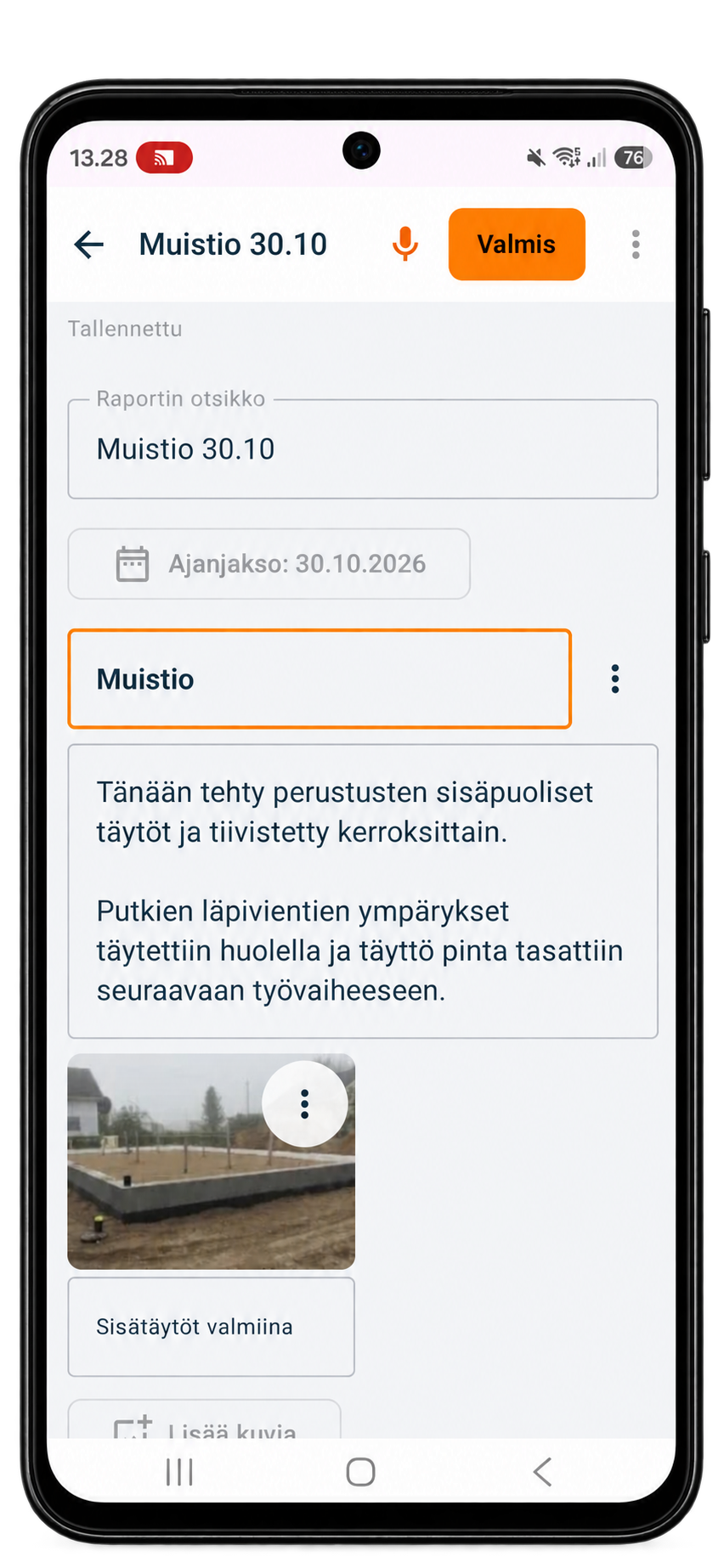
Write up site notes as you work
Write or dictate observations while they are fresh. Add photos and captions to the same report on your phone.
Add a heading, text and photos for each item.
You can write the whole report yourself.
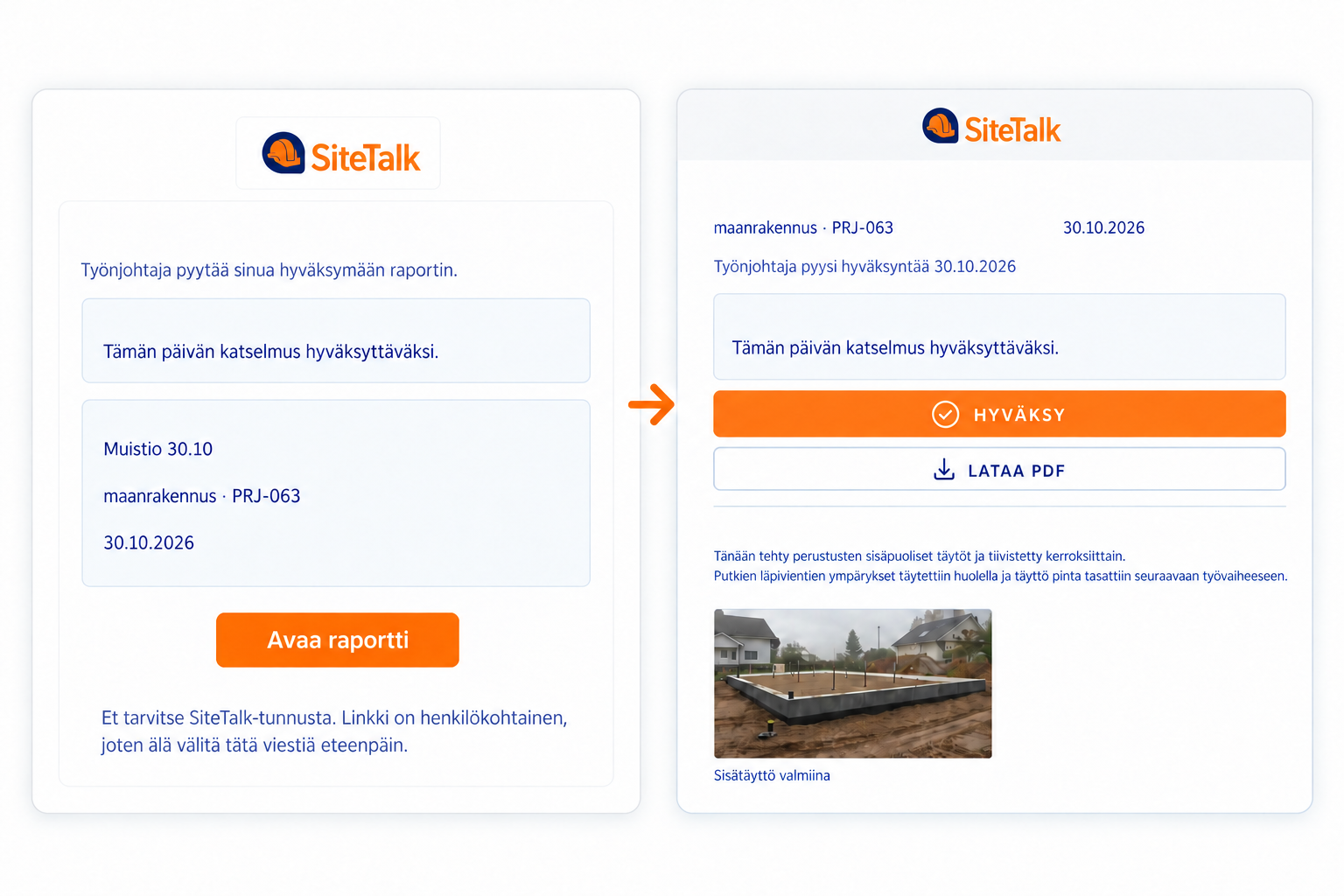
Send the report for approval.
Keep a record of approval.
Send the client or site supervisor an approval link by email. They can approve the report without a SiteTalk account.
The report records who approved it and when.
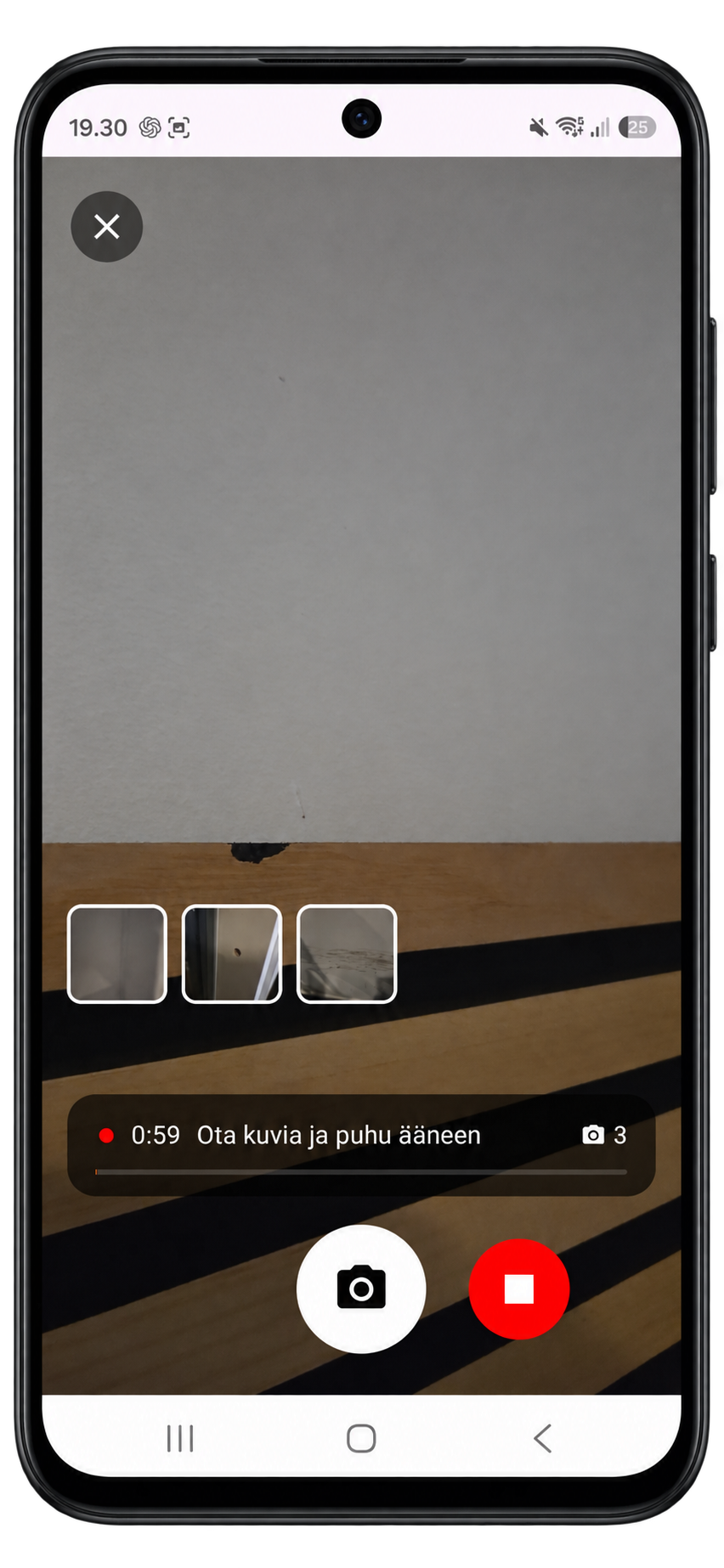
Take a photo. Dictate a note.
Build the report on site.
Take a photo and dictate what you found. Repeat at each stop, then turn your observations into a report with photos, such as a snag list, while you are still on site.
- A photo and dictated note for each item
- Capture observations during the site walk
- Site walk report or snag list with photos
Reporting by location
Link observations to the relevant location and group reports by unit, floor or room. Floor plan locations also help teams track tasks and defects.
Assign tasks and see
what’s still open.
Crews see their assigned tasks on their phones. Site managers plan work and track progress in the browser using the same task information.
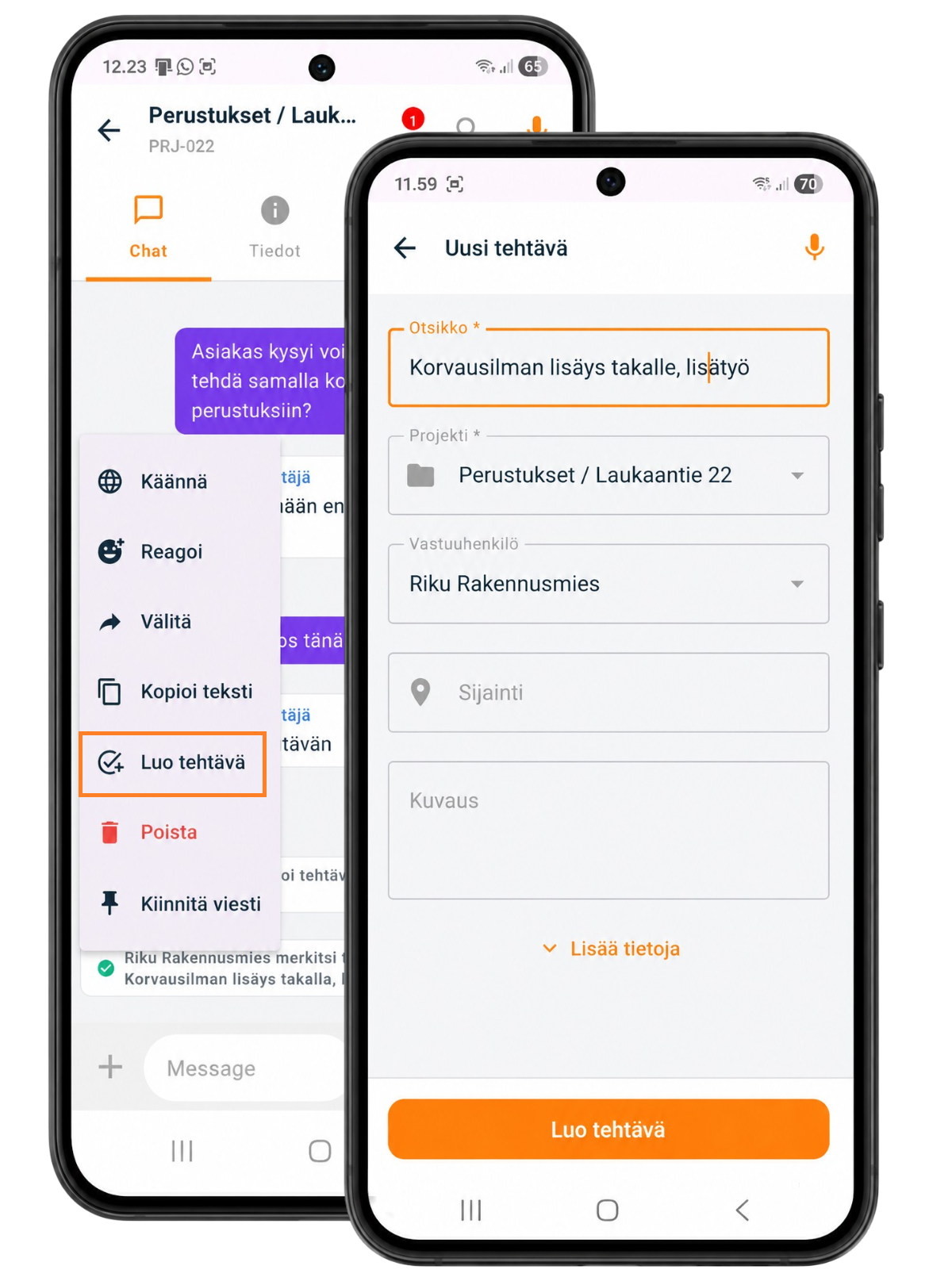
Tasks on your phone
Create a task directly from a message and assign it to the right person. Crew members can see their tasks on their phones and update the status as work progresses.
- Create tasks directly from conversations
- Task owner, due date and reminder
- Instructions, photos and subtasks in one place
- Update the task status
- Assign repairs and track them as tasks
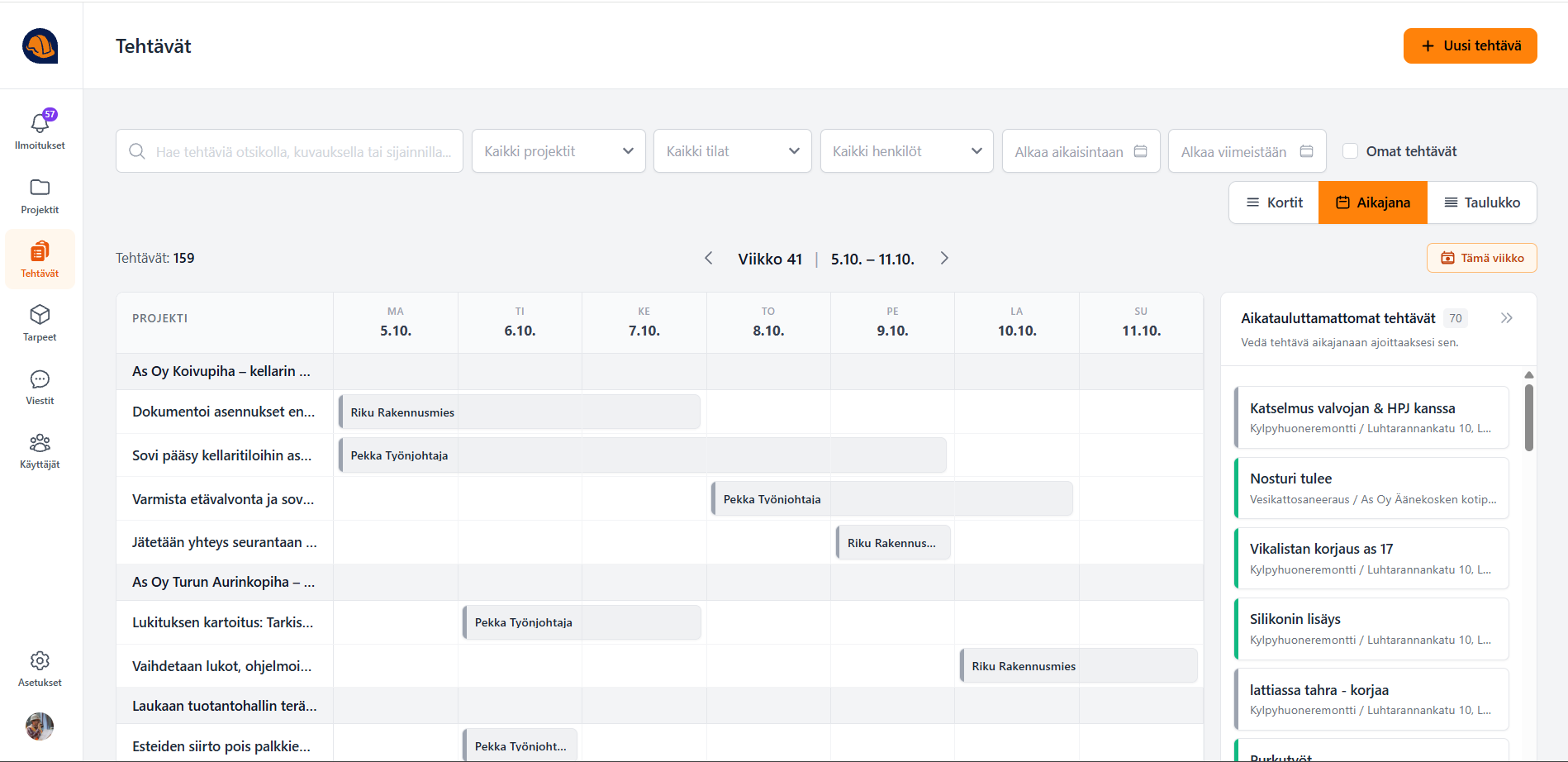
Work planning in the browser
Plan upcoming work, assign responsibilities and track progress. A shared view helps site managers stay on top of tasks and repairs.
- Weekly site planning
- Task assignments, due dates and reminders
- Track progress on tasks and snag lists
- Tasks across all projects in one view
Pin observations on a floor plan
Link a task or defect to the relevant room or area and mark it on the floor plan. Use the same location information to group reports by area.
Site diary and
safety inspections
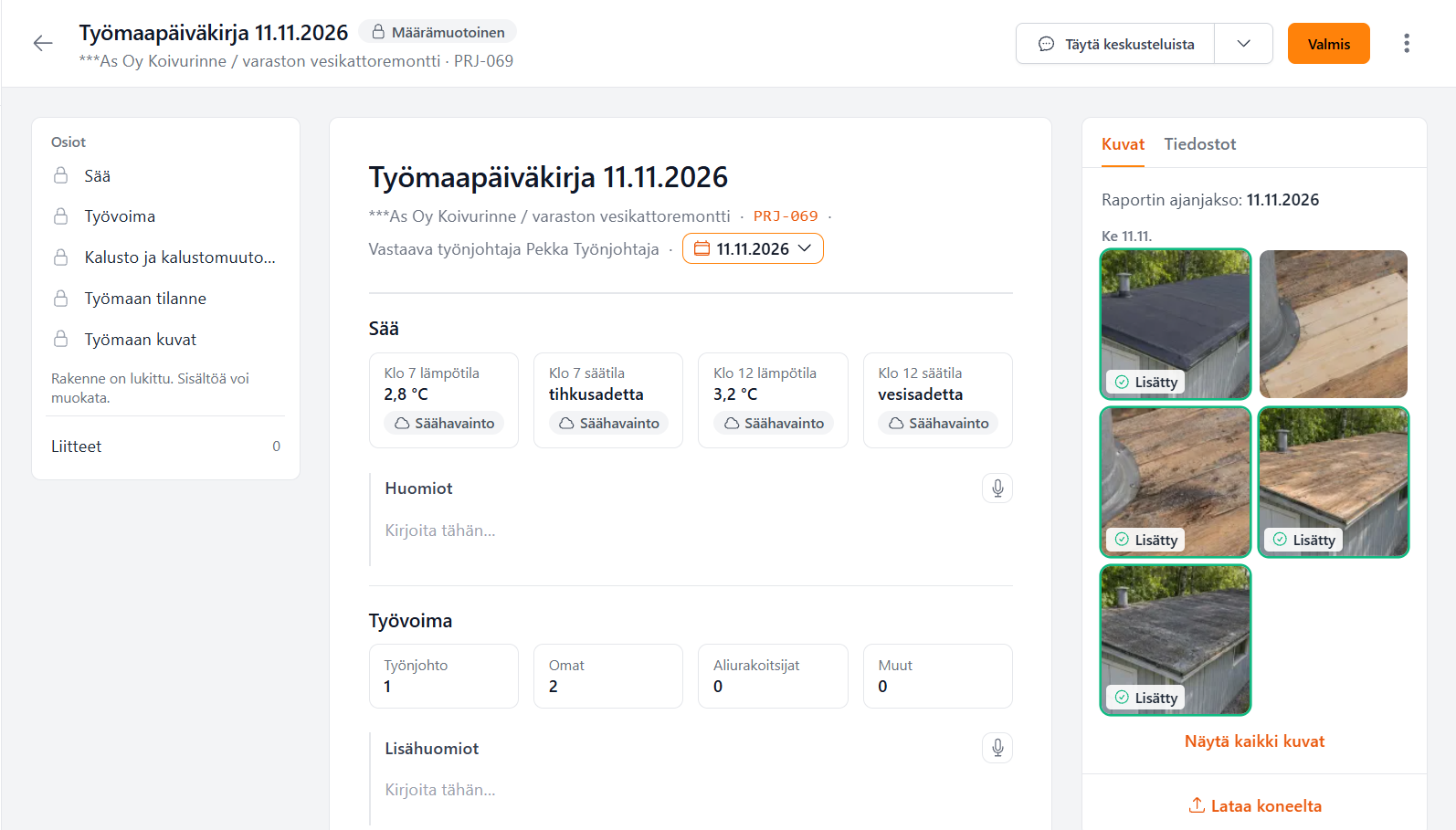
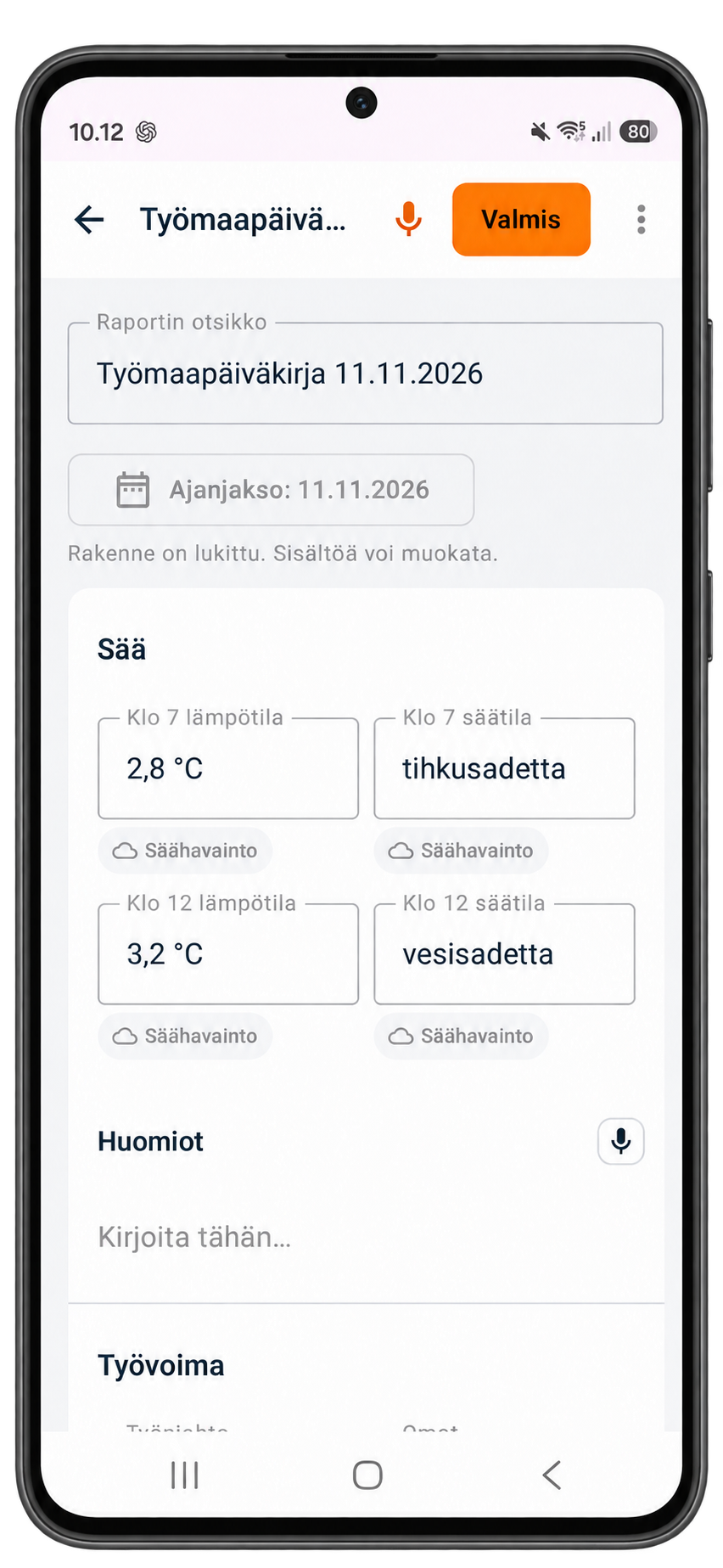
Digital site diary on mobile and web
Record the day’s work, workforce, equipment and observations in the same project as your photos and conversations. Write or dictate entries, or use AI to draft them from conversations and photos.
- Weather readings at 7 am and noon are added automatically.
- Add site photos alongside the relevant work or observation.
- Share the finished diary as a PDF or send it to the supervisor for approval.
TR and MVR safety inspections
Carry out safety inspections on site and record observations alongside the rest of the project documentation.
Turn a TR inspection finding into a task
Create a corrective task directly from a TR inspection finding and assign it to the person responsible. Site managers can track the repair through to completion.
Request materials on site.
Track them through to delivery.
Site managers can see what the crew needs and track each request in a shared list.
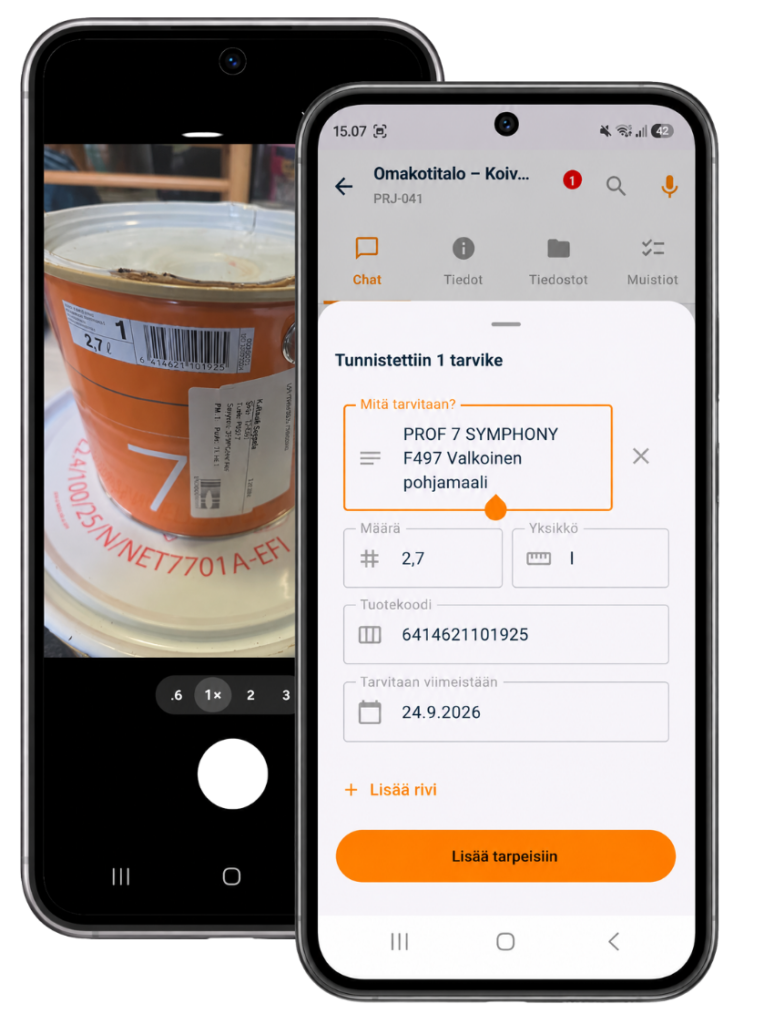
Request materials on site
Running short of sealant, screws or other supplies? Log the request with text, voice dictation or a photo. AI helps organise the details.
- Capture the item, quantity and unit
- Add details such as colour
- Add the request to the right project
Review requests and arrange delivery
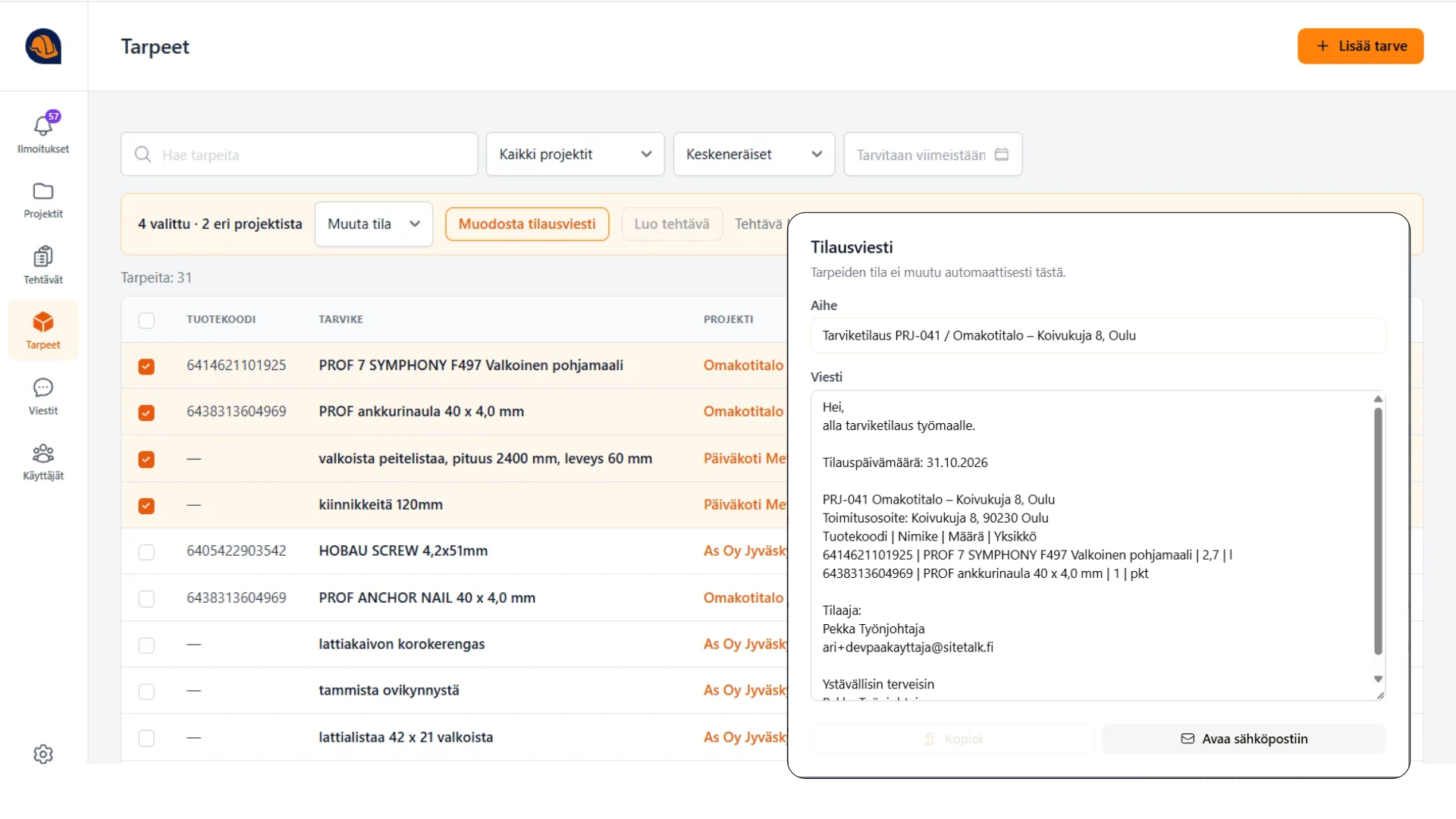
Site managers can review requests in a shared list, check the details and arrange the purchase. Everyone involved can track the status.
- Check and process requests
- Arrange an order or collection
- Track each request through to delivery
Capture information once.
Use it throughout the project.
Keep conversations, tasks and documentation connected under the same project.
Take a photo or dictate a note.
Record the observation as soon as you spot it.
Create a task or material request.
Pass it to the person who can act on it.
Track progress.
See who is responsible and how work is progressing.
Report and request approval.
Put observations and photos into a document you can share.
Start with what your team needs today.
Start with reporting, snag lists, material needs or communication. SiteTalk also works for one person doing their own reporting. Add more as your team sees the value.
21 days free. No credit card required.
Data hosted in Finland. Read about security →