Frequently asked questions about SiteTalk
Answers about SiteTalk, onboarding, pricing, security and daily use on construction sites.
Still have a question? Get in touch — we’re happy to help.
What is SiteTalk?
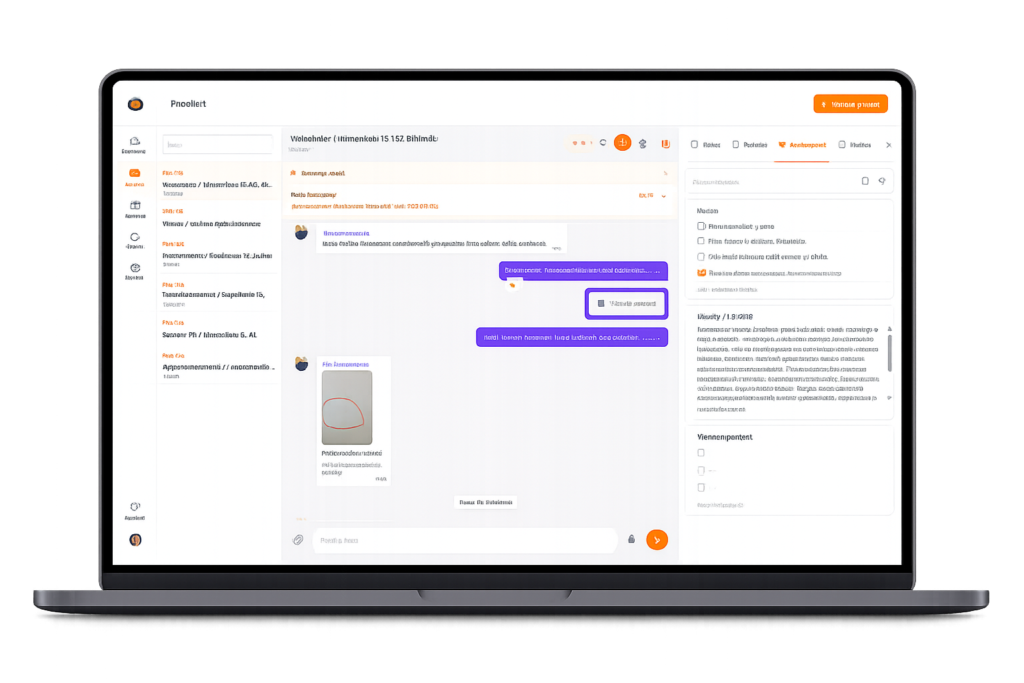
SiteTalk is an easy-to-use communication app for construction sites. It brings conversations, photos, tasks and records together in one place.
AI helps organize information, draft reports and reduce routine work, so crews can focus on building and managers on leading.
Who is SiteTalk for?
SiteTalk is designed for small and mid-sized contractors and building services firms managing fast-moving sites and distributed teams.
Typical users include:
– electrical contractors
– mechanical and plumbing contractors
– general contractors and renovation firms
– restoration and repair contractors
– infrastructure contractors
It is especially useful when you run several sites or coordinate employees and subcontractors across projects.
If project communication is scattered across personal chats, calls, photos and files, SiteTalk gives it a shared home.
How is SiteTalk different from WhatsApp?
WhatsApp is useful for quick messages, but SiteTalk is built for project-based communication, records and task coordination.
SiteTalk keeps conversations, photos, tasks and documents with the right project, where your team can find them later.
With SiteTalk:
– conversations are organized by project
– messages, photos and decisions remain accessible
– information can be found later
– tasks can be assigned and tracked alongside conversations
– the company can manage users and access
– work and personal messages stay separate
– the workflow supports business use and site documentation
SiteTalk is a shared tool for the jobsite.
How does SiteTalk work with an ERP system?
SiteTalk complements your ERP. ERP systems handle commercial and administrative processes such as estimating, finance, resources, scheduling and billing.
SiteTalk focuses on daily work in the field, where details otherwise remain in calls, chats, photos and scattered notes.
Use SiteTalk for:
– daily site communication
– sharing photos and documents
– assigning and tracking tasks
– recording decisions and commitments
– site updates, inspections, diaries and reports
In short: Your ERP runs the business. SiteTalk helps work flow on site.
Together they connect office processes with day-to-day site activity.
How does SiteTalk compare with project management software?
Traditional systems often focus on formal project controls and records. SiteTalk supports the rapid exchanges that happen during daily field work.
SiteTalk is designed for:
– quick communication and observations where work happens
– mobile-first use
– keeping messages, photos, tasks and records together
– turning everyday activity into a useful project record
SiteTalk helps information move through the jobsite and into the project record.
How much does SiteTalk cost?
Pricing is based on active users, so you pay for actual use without a long-term commitment.
Per-user pricing decreases as your team grows.
See current prices on our pricing page
Can I try SiteTalk for free?
Yes. The free trial lets you test SiteTalk with your team on a real project.
No credit card or billing details are needed. You can start with one jobsite.
See whether it improves daily work before you commit.
Is there a contract, and can we cancel?
SiteTalk is billed monthly without a long fixed term.
You can cancel at any time. Service ends after the current billing period, with no separate cancellation fee.
Is SiteTalk difficult to set up?
No. SiteTalk is designed for a quick start without a lengthy rollout or extensive training.
If your team can use a familiar messaging app, they can get started quickly. We can help with onboarding.
Is onboarding support available?
Yes. We answer questions and help your team get started.
Standard onboarding support is included.
How does AI help on site?
SiteTalk uses AI to reduce manual work and speed up routine reporting.
Examples:
– drafts daily and weekly reports and site diaries from captured activity
– turns dictated observations into text
– summarizes conversations
– reminds teams about important tasks and deadlines
The aim is to capture a useful project record as work happens.
Is there a mobile app?
SiteTalk is available for Android and iPhone.
You can also use SiteTalk in a desktop browser, which works well for site managers and office teams.
Does SiteTalk support multilingual teams?
Yes. The interface supports Finnish, Swedish and English, and AI helps translate messages across languages.
We add languages based on customer needs.
How do you handle security and GDPR?
SiteTalk is built for business use and designed to handle personal data in line with GDPR requirements.
Manage access by project so people see the information relevant to their work. Project conversations and records stay under company control.
Data is encrypted in transit and stored in a secure cloud environment.
Can SiteTalk integrate with other systems?
Integration options depend on your needs. Tell us which systems you use and we will assess the best approach.
SiteTalk also works on its own and can complement your ERP and finance systems.
Can subcontractors and clients use SiteTalk?
Yes. Subcontractors, clients and other project stakeholders can collaborate in SiteTalk.
Subcontractors can receive free guest access to relevant project conversations without seeing the entire project.
What if I need help?
Contact us by email or phone. We can help with onboarding, daily use and new needs as your team grows.